 miopulse
Medication Reminders on iPhone: Notifications vs Alarms
MioPulse combines reliable medication reminders with the flexibility of notifications and alarms in one app. Use both for the same schedule: notifications show what is due at a glance, while alarms get your attention even in Silent mode or Focus. You can also use either on its own, with reminders following the medication schedule you save in MioPulse.
| Notifications | Alarms | |
|---|---|---|
| Lock Screen alerts | Yes, when enabled in settings | Yes |
| Sound in Silent mode | Follows iPhone sound settings | Yes |
| Sound during Focus | Depends on Focus settings | Yes |
| Works without internet | No | Yes |
| Subscription | Free | MioPulse Plus |
| iOS requirement | iOS 16.4+ | iOS 26+ |
Medication Notifications: Simple Everyday Reminders
A notification shows the scheduled time and medication name, with the dose or amount when you have saved those details. It appears on the Lock Screen or as a banner while you use your iPhone. If it arrives while you are reading a message or checking the weather, you can see what is due without first opening MioPulse.
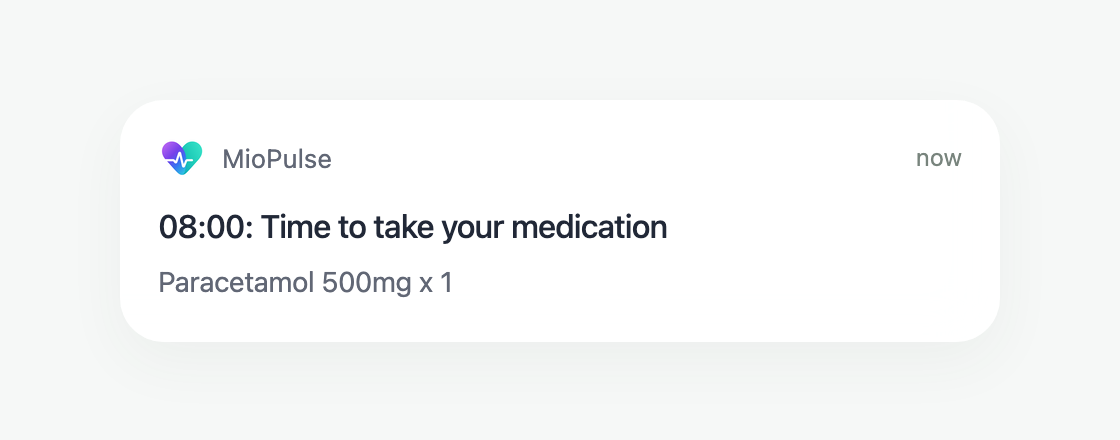
Illustration of a MioPulse notification. Appearance depends on your iPhone settings.
Medication Alarms: When You Need a Stronger Alert
If banners often pass unnoticed or you keep your phone silenced while working, an alarm can get your attention. It sounds through Silent mode and Focus and shows the medication name in a system alert. You can stop the sound or open the scheduled intake in MioPulse.
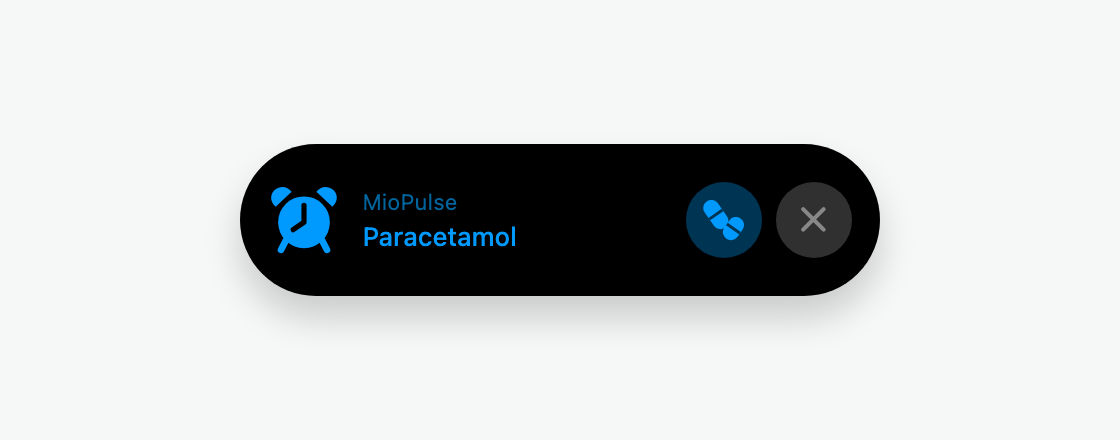
Illustration of MioPulse's alarm preview. The pill icon represents Open and × represents Stop. The actual system alert's appearance varies by iOS version.
One Schedule for All Your Reminders
When you add a medication, you choose how often you take it and at what times. MioPulse creates your enabled reminders from that schedule.
If an intake moves from 8:00 to 9:00, you update the medication's time once. The reminders follow the change, so you do not have to find and reset a separate alarm. Your schedule, reminders and intake records stay together in MioPulse.
How to Enable Medication Reminders
MioPulse offers notification permission during initial setup. If you join Plus during setup on iOS 26 or later, it also offers alarm permission. You can enable either later, even if you skipped or declined the original request.
How to enable reminders or restore permissions
Keep your medication schedule and reminders together
Set up medication notifications for free, or use MioPulse Plus alarms when you need a more noticeable reminder.